
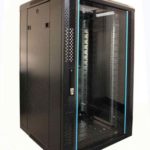
 FREE STANDING CABINETS
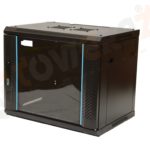 WALL MOUNTED CABINETS
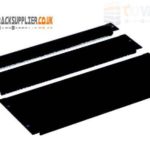 Blanking panel
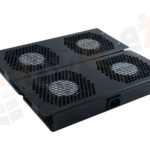 fan units
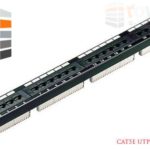 PATCH PANEL
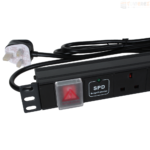 Power Distribution Unit
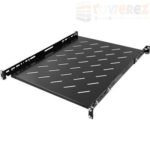 SHELVES
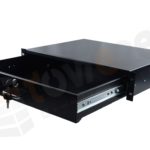 RACK DRAWER
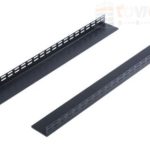 TOWEREZ RAILS
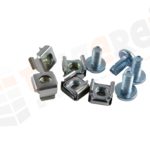 CAGE & NUTS

24U Server Cabinet Dimensions UK: Height, Width and Equipment Capacity Guide

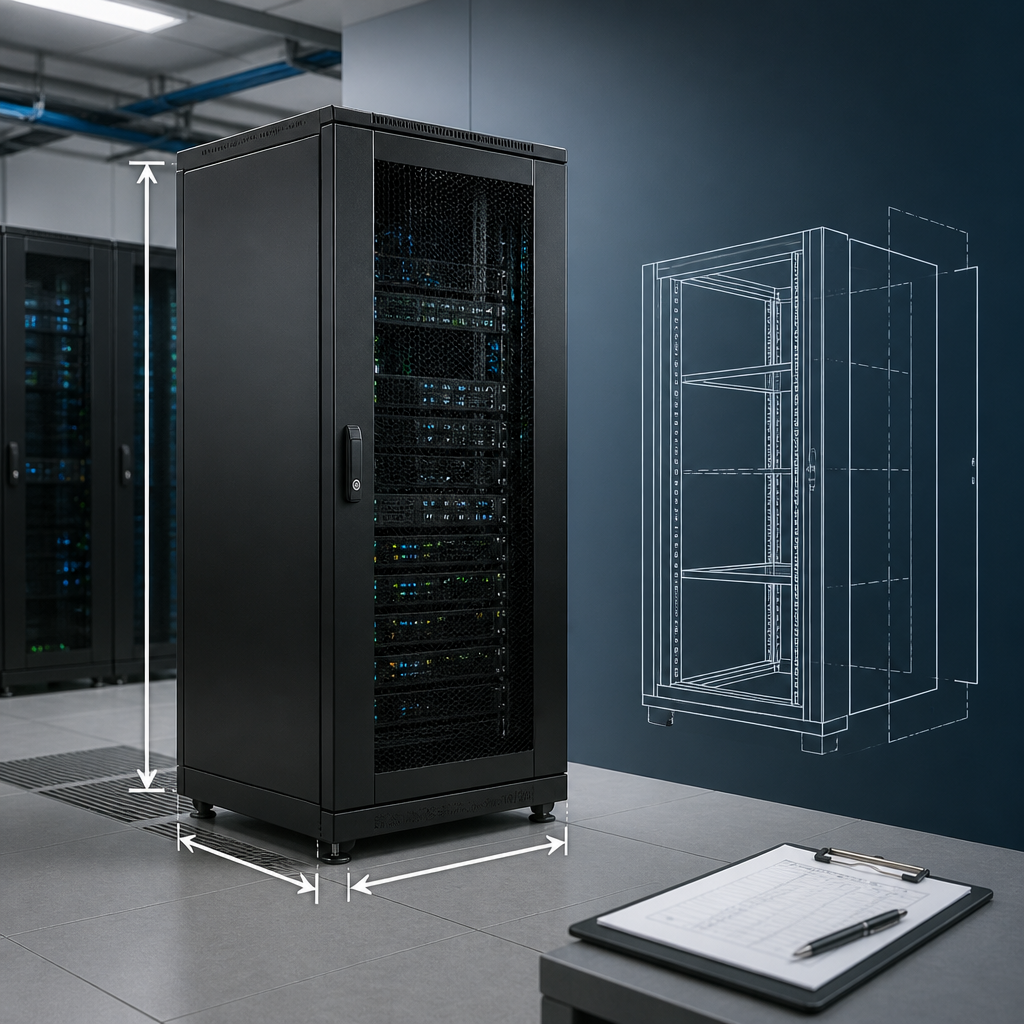
In brief: 24U server cabinet dimensions UK buyers commonly need are approximately 1,200–1,400 mm high externally, 600 or 800 mm wide, and 600–1,200 mm deep. A 24U cabinet provides 24 rack units of mounting space, equal to 1,066.8 mm of usable vertical rack height. The exact outside dimensions depend on the frame, doors, castors, roof, side panels and cable-management requirements.
Choosing a cabinet by rack units alone can lead to an awkward installation. A cabinet may have enough vertical capacity for your equipment but still be too shallow for a server, too narrow for cable routing, or too tall for the intended room. This guide explains how to interpret 24U server cabinet dimensions UK buyers should check before ordering, and how to estimate practical equipment capacity.
24U server cabinet dimensions UK: the essential measurements
The term 24U describes the height available on the mounting rails, not the total external height of the cabinet. One rack unit, written as 1U, is 44.45 mm high. Therefore:
- 1U: 44.45 mm of rack space
- 24U: 1,066.8 mm of nominal mounting height
- External height: usually greater than 1,066.8 mm because of the roof, base, doors, side panels and castors
A freestanding 24U cabinet is often around 1,200–1,400 mm high overall, although compact plinth-mounted, wall-mounted and specialised cabinets can be different. Always use the manufacturer’s stated external height when checking doorways, lift access, ceiling clearance or positioning beneath a desk or work surface.
| Measurement | Typical 24U cabinet range | Why it matters |
|---|---|---|
| Rack height | 24U / 1,066.8 mm | Determines how many rack-mounted units can be installed |
| External height | Approximately 1,200–1,400 mm | Must fit the room, access route and installation area |
| External width | Approximately 600 or 800 mm | Controls floor footprint and available side cable space |
| External depth | Approximately 600–1,200 mm | Must accommodate equipment, rear cables and airflow clearance |
| Mounting width | 19-inch rack format | Provides compatibility with standard rack equipment |
How rack units and 19-inch width work
Most 24U cabinets sold for servers, networking and structured cabling use the standard 19-inch rack format. The 19-inch figure refers to the nominal equipment and rail format, not necessarily the cabinet’s outside width. The equipment mounting area is defined by vertical rails with square, threaded or cage-nut holes, while the outer frame adds space for doors, panels and cable management.
A 600 mm-wide cabinet is a common choice where floor space is limited. An 800 mm-wide cabinet normally offers more room beside the rails, making it easier to route power and data cables vertically. The wider option can also be helpful when installing patch panels, switches and power distribution units, but it requires a larger footprint and may weigh more.
Do not assume every device uses a full 1U, even if it is rack mountable. A device marketed as 1U can require adjacent clearance for ventilation, power leads or cable bend radius. Some shelves, blanking panels and cable managers also consume rack units. Planning should therefore include a reserve rather than filling all 24U immediately.
Choosing the right 24U cabinet height
Internal rack height
The 24U rating is the key figure for mounting equipment. For example, a 2U server occupies two rack units, while a 4U storage enclosure occupies four. A theoretical installation containing twelve 2U devices would use all 24U, leaving no room for a patch panel, switch, shelf, blanking panel or future expansion.
In practice, it is sensible to reserve some space for growth and airflow. The amount depends on the equipment mix, but a cabinet should not be planned as though every millimetre will be occupied. Allow for non-rack-mounted accessories, cable routing, service access and changes to the system later.
External height and access
External height is often the dimension that causes installation problems. A cabinet advertised as 24U may stand considerably higher than its 1,066.8 mm rack space once castors or levelling feet are included. Check whether the quoted height includes:
- Castors, plinths or adjustable feet
- Top and bottom frames
- Roof-mounted cable entry hardware
- Door hinges and handles
- Raised bases or anti-seismic accessories
Measure the complete assembled cabinet, not only the frame. If the cabinet must pass through a narrow doorway, confirm its packaged dimensions as well as the dimensions after assembly. Removable doors and side panels may simplify access, but they should not be treated as a substitute for checking the delivery route.
Cabinet width: 600 mm or 800 mm?
For many small server rooms, offices and communications areas, a 600 mm-wide 24U rack is a practical starting point. It provides the standard 19-inch mounting format while keeping the footprint relatively compact. It can suit shallow networking equipment, patch panels, compact servers and switches when the depth is also appropriate.
An 800 mm-wide cabinet is useful when cable management is a priority. The extra width can provide vertical cable-management channels or more convenient space to separate power and data cabling. It may also make it easier to work behind equipment during maintenance. However, the additional width does not increase the 24U mounting height or automatically increase the supported weight.
When comparing UK server rack sizes, distinguish between mounting width and external width. A 19-inch device can fit the rails of both a 600 mm and an 800 mm cabinet, provided the rails are correctly positioned. The wider cabinet simply provides more room around the mounting area.
How deep should a 24U server cabinet be?
Depth is one of the most important 24U server cabinet dimensions UK installers need to assess. Common external depths include approximately 600, 800, 1,000 and 1,200 mm. The correct choice depends on the longest device, rear connectors, cable bend radius, power distribution equipment and the amount of clearance needed for ventilation.
A shallow 600 mm cabinet may be suitable for patch panels, switches and other networking equipment, but it may not accommodate a deep server or storage chassis. An 800 mm cabinet offers more flexibility for general-purpose servers. Deeper cabinets can be appropriate for enterprise servers, extended-depth storage, rear cable assemblies or equipment that requires substantial front-to-back airflow space.
Compare the device depth with the cabinet’s usable mounting depth rather than its external depth. Doors, rear frames, rails and cable managers reduce the available space. A cabinet with an external depth of 800 mm may have a smaller usable rail-to-rear clearance. The manufacturer should state the adjustable rail range or maximum equipment depth.
Allowing for cables and airflow
Equipment should not be pushed tightly against the rear door. Power connectors, network plugs and fibre-optic leads need room to connect without sharp bends or excessive strain. Servers also need a suitable front-to-rear airflow path. A cable bundle that obstructs exhaust airflow can increase operating temperatures and make maintenance more difficult.
Before selecting a 24U data cabinet depth, list the deepest equipment and add space for:
- Rear power and data connectors
- Specified front and rear ventilation clearance
- Vertical or horizontal cable managers
- Power distribution units and plug orientation
- Door movement and service access
How much equipment can a 24U cabinet hold?
A 24U cabinet has 24U of nominal rack capacity, but the number of physical devices it can hold depends on their individual heights. A simple calculation is:
Used rack space = total of all equipment heights, accessories and reserved spaces in U.
For example, a possible layout might include a 2U server, a 2U storage unit, a 1U switch, a 1U patch panel, a 2U UPS and a 1U cable-management panel. This uses 9U, leaving 15U before allowing for future equipment, ventilation and installation preferences. The example is illustrative only; the actual arrangement must follow each manufacturer’s mounting, power and airflow requirements.
Not all equipment should be stacked solely according to available height. Heavy batteries and UPS units may need to be installed low in the cabinet to improve stability. Shelves can consume rack space while supporting non-rack-mount devices. Blanking panels can help manage airflow in partially populated cabinets, and cable managers may be essential even though they do not provide computing capacity.
Weight, ventilation and power considerations
Dimensions are only one part of cabinet selection. Check the cabinet’s static and, where relevant, dynamic load rating. The loaded weight includes servers, storage, UPS batteries, switches, shelves, PDUs, cables and any equipment installed on the roof or base. A cabinet rated for a particular load may require the load to be distributed across the frame or mounted using specified accessories.
Ventilation also varies by design. Perforated front and rear doors are commonly used for equipment that relies on front-to-back airflow. Glass or solid doors may be suitable for some networking or low-heat installations, but they can restrict airflow if the equipment and cabinet are not designed for them. Confirm the required cooling arrangement before choosing a door style.
Plan the power layout at the same time as the physical layout. Check the available supply, plug type, PDU mounting position, UPS dimensions and cable exit route. A cabinet that physically fits the equipment may still be unsuitable if its power distribution arrangement creates overloaded circuits or difficult-to-service cable runs.
Freestanding versus wall-mounted 24U cabinets
Freestanding cabinets are generally easier to use for heavier servers, UPS systems and deep equipment. They can offer greater loading capacity, adjustable feet or castors, removable panels and more flexible cable entry. They do, however, require suitable floor space and may need anchoring in environments where stability is a concern.
Wall-mounted 24U cabinets can save floor space and work well for patch panels, switches and lightweight communications equipment. Their depth, weight rating and door opening need careful review. A fully populated wall cabinet can place significant load on the wall and fixings, especially when equipment is extended for servicing. Check the cabinet rating, wall construction and installation method before choosing this format.
Practical UK installation checklist
- Measure the location: record available height, width, depth and front and rear service clearance.
- List every device: note each item’s rack height, depth, weight, power draw and airflow direction.
- Choose the external width: select 600 mm for a compact footprint or consider 800 mm for improved cable management.
- Select usable depth: compare the deepest device and connectors with the manufacturer’s rail-to-rear clearance.
- Reserve capacity: leave space for future equipment, cable managers, blanking panels and maintenance.
- Check the route in: confirm door, stairway, lift and corridor dimensions, including packaging where relevant.
- Confirm the load rating: include the weight of the cabinet accessories, batteries and cabling.
- Review ventilation and power: verify door perforation, cooling direction, PDU position and cable entry.
- Confirm compatibility: check rail type, cage nuts, shelf requirements, earthing and accessory support.
Key takeaways
- 24U equals 1,066.8 mm of nominal vertical rack space.
- The external height of a 24U cabinet is usually greater than its rack height.
- 600 mm-wide cabinets save space; 800 mm-wide cabinets generally provide more cable-management room.
- Cabinet depth must accommodate the equipment chassis, connectors, airflow and service clearance.
- Equipment capacity depends on the total U height, weight, power and ventilation requirements—not rack height alone.
- Always use the manufacturer’s external and usable dimensions when confirming fit.
Frequently asked questions
What are standard 24U server cabinet dimensions in the UK?
There is no single mandatory external size. Common freestanding options are approximately 1,200–1,400 mm high, 600 or 800 mm wide, and 600–1,200 mm deep. The rack space is standardised at 24U, or 1,066.8 mm, while the outside dimensions vary by design.
How tall is a 24U server rack?
A 24U rack provides 1,066.8 mm of internal mounting height. Its total external height is normally greater because of the frame, roof, doors, base and castors. Check the product’s assembled height rather than using 24U as the overall cabinet height.
Will a 24U cabinet fit standard rack equipment?
Most 24U cabinets use the standard 19-inch rack format and will accept compatible rack-mounted servers, switches, patch panels, shelves and PDUs. You must still check the equipment depth, rail adjustment, mounting hardware, weight and airflow requirements.
Is a 600 mm or 800 mm-wide 24U cabinet better?
A 600 mm-wide cabinet is often preferable where floor space is limited. An 800 mm-wide cabinet can be better when you need more room for vertical cable management or maintenance access. Neither option changes the 24U mounting height, so the decision mainly concerns footprint and cable-management space.
{“@context”:”https://schema.org”,”@type”:”FAQPage”,”mainEntity”:[{“@type”:”Question”,”name”:”What are standard 24U server cabinet dimensions in the UK?”,”acceptedAnswer”:{“@type”:”Answer”,”text”:”There is no single mandatory external size. Common freestanding options are approximately 1,200–1,400 mm high, 600 or 800 mm wide, and 600–1,200 mm deep. The rack space is standardised at 24U, or 1,066.8 mm, while the outside dimensions vary by design.”}},{“@type”:”Question”,”name”:”How tall is a 24U server rack?”,”acceptedAnswer”:{“@type”:”Answer”,”text”:”A 24U rack provides 1,066.8 mm of internal mounting height. Its total external height is normally greater because of the frame, roof, doors, base and castors. Check the product’s assembled height rather than using 24U as the overall cabinet height.”}},{“@type”:”Question”,”name”:”Will a 24U cabinet fit standard rack equipment?”,”acceptedAnswer”:{“@type”:”Answer”,”text”:”Most 24U cabinets use the standard 19-inch rack format and will accept compatible rack-mounted servers, switches, patch panels, shelves and PDUs. You must still check the equipment depth, rail adjustment, mounting hardware, weight and airflow requirements.”}},{“@type”:”Question”,”name”:”Is a 600 mm or 800 mm-wide 24U cabinet better?”,”acceptedAnswer”:{“@type”:”Answer”,”text”:”A 600 mm-wide cabinet is often preferable where floor space is limited. An 800 mm-wide cabinet can be better when you need more room for vertical cable management or maintenance access. Neither option changes the 24U mounting height, so the decision mainly concerns footprint and cable-management space.”}}]}