
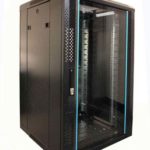
 FREE STANDING CABINETS
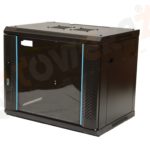 WALL MOUNTED CABINETS
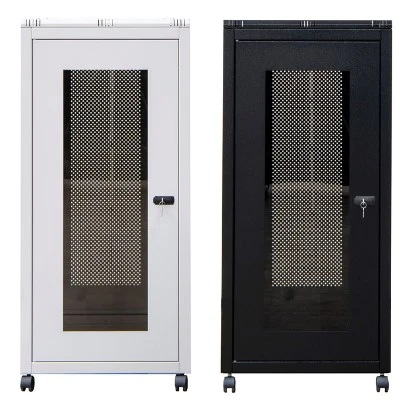
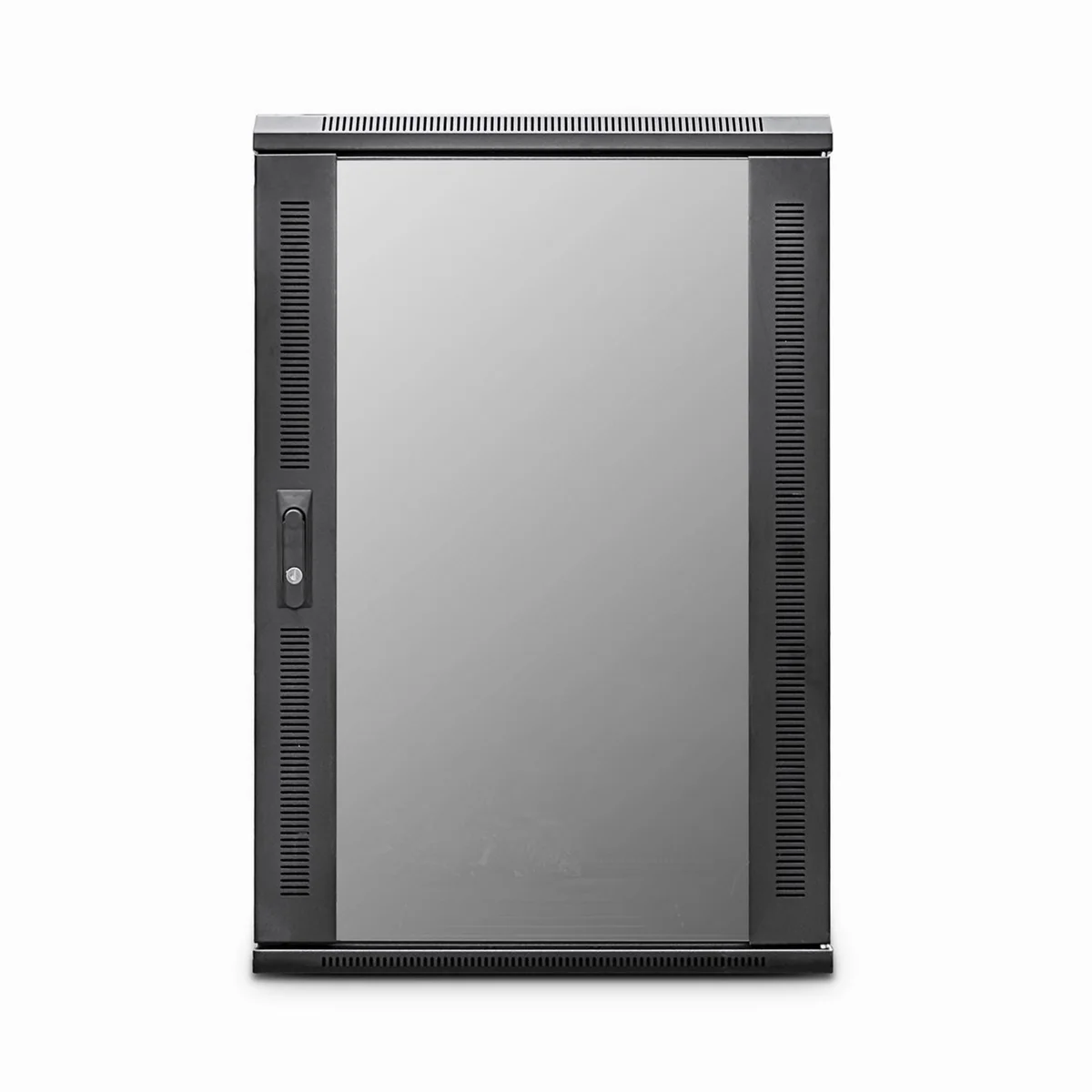
 Blanking panel
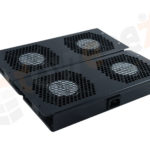 fan units
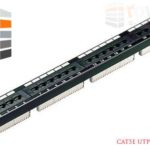 PATCH PANEL
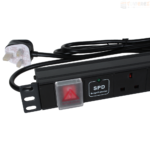 Power Distribution Unit
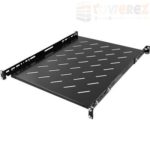 SHELVES
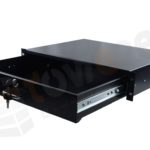 RACK DRAWER
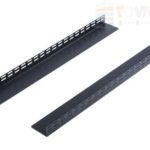 TOWEREZ RAILS
 CAGE & NUTS

How to Secure a 19-Inch Network Cabinet in the UK: Locks, Access Control and Best Practice


To secure a 19 inch network cabinet, combine a lockable cabinet with controlled access, sensible placement, cable protection, environmental monitoring and documented maintenance. A cabinet lock is an important first layer, but it should form part of a wider physical security plan. In the UK, the right approach depends on whether the cabinet is installed in a dedicated comms room, office, classroom, retail area or an exposed shared space.
A 19-inch cabinet protects switches, patch panels, routers, power distribution equipment and other rack-mounted devices. If unauthorised people can open the cabinet, disconnect cables or reset equipment, a cyber-security policy alone will not prevent disruption. This guide explains how to choose the right cabinet, control access and maintain protection over time.
Why 19-inch network cabinet security matters
Physical access can create the same risks as remote access. Someone who reaches an unlocked rack may unplug a switch, connect an unauthorised device, remove storage media, alter patching or damage cooling equipment. Even an accidental cable disconnection can interrupt business-critical services.
Security requirements are usually higher when a cabinet contains core network equipment, internet connectivity, telephone systems, CCTV recording equipment, access-control hardware or devices that process sensitive information. A small wall-mounted cabinet in a staff-only office may need a different solution from a floor-standing rack in a public corridor, but both require a clear access decision.
Choose the right cabinet before adding security
The cabinet itself provides the foundation for protection. Review the following features before purchasing or installing a rack.
- Lockable front and rear doors: A front door lock is useful, but a removable or separately accessible rear panel can still expose equipment. Choose protection for every practical access point.
- Side panels: Removable side panels should either lock in place or be located inside a room with controlled access.
- Strong construction: A robust steel enclosure is generally more suitable for security-sensitive installations than a lightweight cabinet that can be easily damaged or moved.
- Appropriate ventilation: Security should not prevent heat from escaping. Look for perforated doors, roof fans or other suitable cooling arrangements where equipment load requires them.
- Compatible rack rails: Confirm that the cabinet supports standard 19-inch equipment and provides enough depth, weight capacity and vertical space for present and planned devices.
- Secure anchoring: A cabinet that can be lifted, tipped or removed may not provide meaningful protection. Floor-standing cabinets should be installed on an appropriate surface and secured where necessary.
- Door contact or tamper options: Some cabinets can accept magnetic contacts, electronic locks or alarm sensors. Check compatibility before ordering.
Do not treat a cabinet’s advertised lock as a complete security specification. Ask how the lock is keyed, whether replacement keys are controlled, whether the hinges are protected and whether the door can be forced without triggering an alert. For higher-risk sites, an electronic access system may offer better accountability than a shared mechanical key.
Secure 19 inch network cabinet with the right lock
The best locking method depends on the location, risk level and number of people who need access. Common options include:
Keyed cabinet locks
A keyed lock is simple, cost-effective and does not require power or network connectivity. It can work well in a restricted comms room where only a small number of authorised engineers need access. However, shared keys can be copied, misplaced or retained by people who no longer need access.
Use a key register, issue keys to named individuals and keep spare keys in a controlled location. When staff, contractors or suppliers no longer require access, recover their keys promptly and update the register.
Combination locks
Combination locks avoid key management, but a code can be shared or observed. Change the code when personnel change and avoid writing it on the cabinet or on nearby equipment. A combination lock is more suitable for lower-risk locations unless supported by additional room security and monitoring.
Electronic and smart locks
Electronic locks can use PINs, proximity cards, mobile credentials or biometric authentication. Their main advantage is accountability: access can be assigned to individuals and, depending on the system, recorded in an audit trail. They may also support remote administration and alerts.
Plan for power failure, battery replacement, emergency override and loss of network connectivity. An electronic lock should fail in the way that best matches the site’s safety and operational requirements. Keep the access system itself secure, and limit administrator permissions.
High-security padlocks and hasps
Some cabinets accept a padlock or security hasp. This can be useful where an organisation already operates a controlled padlock system, but the hasp, shackle and mounting points must be strong enough for the application. A premium padlock cannot compensate for a weak cabinet door or exposed hinges.
Control the room as well as the cabinet
A lockable rack is only one part of physical network security. If the cabinet is installed in an unlocked corridor, reception area or shared storeroom, an intruder may still tamper with the enclosure or its power and data cables.
Where possible, place the cabinet in a dedicated communications room or a restricted area. Use a suitable building access system, keep the room door closed and restrict access to authorised staff and approved contractors. Consider whether visitors can see the cabinet, whether delivery routes pass nearby and whether other services in the room create a tampering opportunity.
For shared premises, establish responsibility with the landlord, facilities team or building manager. Clarify who controls room keys, who responds to alarms and who may approve access. A cabinet that is secure in theory can become vulnerable if several organisations assume someone else is responsible.
Use access control and audit procedures
Access control should answer three questions: who may enter, why do they need access and when did access occur? A practical process can include:
- Maintain a list of authorised employees, engineers and contractors.
- Give each person an individual credential where the system supports it.
- Record the reason, date and time for planned maintenance.
- Use an escort or sign-in process for visitors and third-party engineers.
- Review access rights regularly and remove expired permissions.
- Investigate unexpected door openings, damaged locks or missing equipment.
For a small installation, a controlled key log and maintenance register may be sufficient. For a larger or higher-risk environment, integrate cabinet or room events with the organisation’s physical security monitoring. Avoid giving every IT user unrestricted physical access; separate routine support permissions from privileged infrastructure access.
Protect power, cables and connected equipment
People often focus on the cabinet door while overlooking the equipment connected to it. Protect power and data routes so that someone cannot bypass the enclosure by reaching behind it or unplugging an external connection.
- Route cables through protected entry points and use suitable brush strips or glands.
- Keep power supplies and network connections inside the secured area where practical.
- Use cable management that prevents accidental strain on switches and patch panels.
- Label both ends of important cables without exposing unnecessary sensitive information.
- Separate power and data cabling in accordance with equipment and installation requirements.
- Use a lockable power distribution solution where the risk assessment justifies it.
- Secure removable devices, console connections and unused ports against unauthorised use.
Do not block ventilation openings with cable bundles. Poor cable management can increase heat, make maintenance harder and create opportunities for accidental disconnection. Photograph or document the intended layout after installation so that later changes can be checked.
Add monitoring and tamper detection
Monitoring can turn a passive lock into an active security measure. A door contact can report when a cabinet or room opens. A vibration or tamper sensor may identify attempted movement, while CCTV can help confirm who accessed the area. Temperature and humidity sensors can also provide early warning of conditions that could damage equipment.
Set alerts carefully. Too many low-value notifications can cause staff to ignore genuine events. Define who receives alerts, what constitutes an emergency and how quickly the event should be reviewed. Keep monitoring equipment itself protected, and make sure alerting continues during a network or power interruption where the risk requires it.
Security cameras should be positioned and operated in line with the organisation’s privacy obligations and applicable UK requirements. Avoid recording areas unnecessarily, restrict footage access and document the purpose of surveillance.
Consider fire, heat and environmental risks
Physical security must not compromise safe operation. Network cabinets can generate significant heat, especially when fitted with switches, servers, UPS equipment or power supplies. Confirm the cabinet’s ventilation strategy and leave enough space for airflow and maintenance.
Keep the enclosure away from water pipes, leak-prone areas, direct sunlight and locations vulnerable to impact. Do not store combustible materials around the cabinet. Where a UPS is installed, follow the manufacturer’s instructions for ventilation, battery maintenance and clearances.
Fire protection decisions should be made as part of the building’s fire risk assessment and by competent professionals. Do not install an improvised suppression system inside a cabinet without checking its effect on people, equipment and building safety.
Best practice for installation and maintenance
Use this checklist when commissioning or reviewing a secure 19 inch network cabinet:
| Area | Check |
|---|---|
| Location | Is the cabinet away from public access and protected from accidental impact, leaks and excessive heat? |
| Enclosure | Are the front, rear and side access points secured appropriately? |
| Anchoring | Is the cabinet stable and fixed in line with the manufacturer’s instructions? |
| Access | Are keys, codes or electronic credentials issued only to authorised people? |
| Equipment | Are devices mounted correctly, with adequate clearance, airflow and cable support? |
| Monitoring | Are relevant door, temperature, power or tamper alerts tested? |
| Documentation | Are diagrams, asset records, access logs and maintenance dates up to date? |
Inspect the cabinet periodically rather than waiting for a fault. Check hinges, locks, fixings, panels, cable entries and ventilation. Test electronic access devices and batteries according to the supplier’s instructions. Review who has access after organisational changes, building moves, contractor visits or security incidents.
Common mistakes to avoid
- Relying on a basic lock alone: The room, rear panel, cables and power supply may remain exposed.
- Leaving a spare key nearby: A key taped under the cabinet or stored in an open drawer defeats controlled access.
- Using one shared access code indefinitely: Former staff and contractors may retain knowledge of it.
- Overlooking rear access: Engineers often need rear access, but it should be controlled and logged.
- Installing equipment without airflow planning: Excess heat can cause failures and shorten equipment life.
- Failing to document changes: Unknown patching and undocumented devices make both troubleshooting and incident investigation harder.
- Granting unrestricted contractor access: Use time-limited permissions, supervision or sign-in controls where appropriate.
Key takeaways
- Start with a robust, lockable cabinet that protects every practical access point.
- Match the lock to the risk: keyed systems suit simple restricted sites, while electronic access can provide stronger accountability.
- Secure the room, cabinet, cables and power rather than focusing on the door alone.
- Use access logs, tamper alerts and environmental monitoring where the impact of disruption justifies them.
- Review permissions, test locks and maintain documentation throughout the cabinet’s life.
Frequently asked questions
Is a lockable 19-inch cabinet enough for network security?
No. A lockable cabinet reduces the risk of casual or unauthorised access, but effective security also requires a suitable location, controlled room access, protected cables, sound maintenance and appropriate monitoring.
Should a network cabinet have a lock on the rear door?
Yes, if the rear door or panel provides access to equipment, cables or power connections. Protecting only the front can leave a straightforward route to tamper with the installation.
Are electronic cabinet locks better than keyed locks?
Not in every situation. Electronic locks can provide individual credentials, audit trails and remote administration, while keyed locks are simple and continue to work without power. Select the option that matches the site risk, support capability and emergency requirements.
How often should a secure 19 inch network cabinet be checked?
Check it as part of a documented maintenance schedule and after any access incident, equipment change or building alteration. The schedule should cover locks, hinges, fixings, cable entries, airflow, monitoring and access permissions.
Conclusion
A secure 19 inch network cabinet is most effective when enclosure security is combined with controlled access and good operational discipline. Select a cabinet that protects all access points, install it in a suitable restricted location, protect power and cabling, and use monitoring where the risk justifies the investment. Regular reviews ensure that the cabinet remains secure when staff, equipment and building conditions change.
{“@context”:”https://schema.org”,”@type”:”FAQPage”,”mainEntity”:[{“@type”:”Question”,”name”:”Is a lockable 19-inch cabinet enough for network security?”,”acceptedAnswer”:{“@type”:”Answer”,”text”:”No. A lockable cabinet reduces the risk of casual or unauthorised access, but effective security also requires a suitable location, controlled room access, protected cables, sound maintenance and appropriate monitoring.”}},{“@type”:”Question”,”name”:”Should a network cabinet have a lock on the rear door?”,”acceptedAnswer”:{“@type”:”Answer”,”text”:”Yes, if the rear door or panel provides access to equipment, cables or power connections. Protecting only the front can leave a straightforward route to tamper with the installation.”}},{“@type”:”Question”,”name”:”Are electronic cabinet locks better than keyed locks?”,”acceptedAnswer”:{“@type”:”Answer”,”text”:”Not in every situation. Electronic locks can provide individual credentials, audit trails and remote administration, while keyed locks are simple and continue to work without power. Select the option that matches the site risk, support capability and emergency requirements.”}},{“@type”:”Question”,”name”:”How often should a secure 19 inch network cabinet be checked?”,”acceptedAnswer”:{“@type”:”Answer”,”text”:”Check it as part of a documented maintenance schedule and after any access incident, equipment change or building alteration. The schedule should cover locks, hinges, fixings, cable entries, airflow, monitoring and access permissions.”}}]}